

The Hands-On Game Development Event We Held in Shimokawa, Hokkaido
Hello. I'm Hirayama from the Technology Department.
In this article I'll write about "Game Development Experience", an event we held over two days starting January 15, 2024 in Shimokawa, Hokkaido, and, relatedly, about "teaching programming".
The event
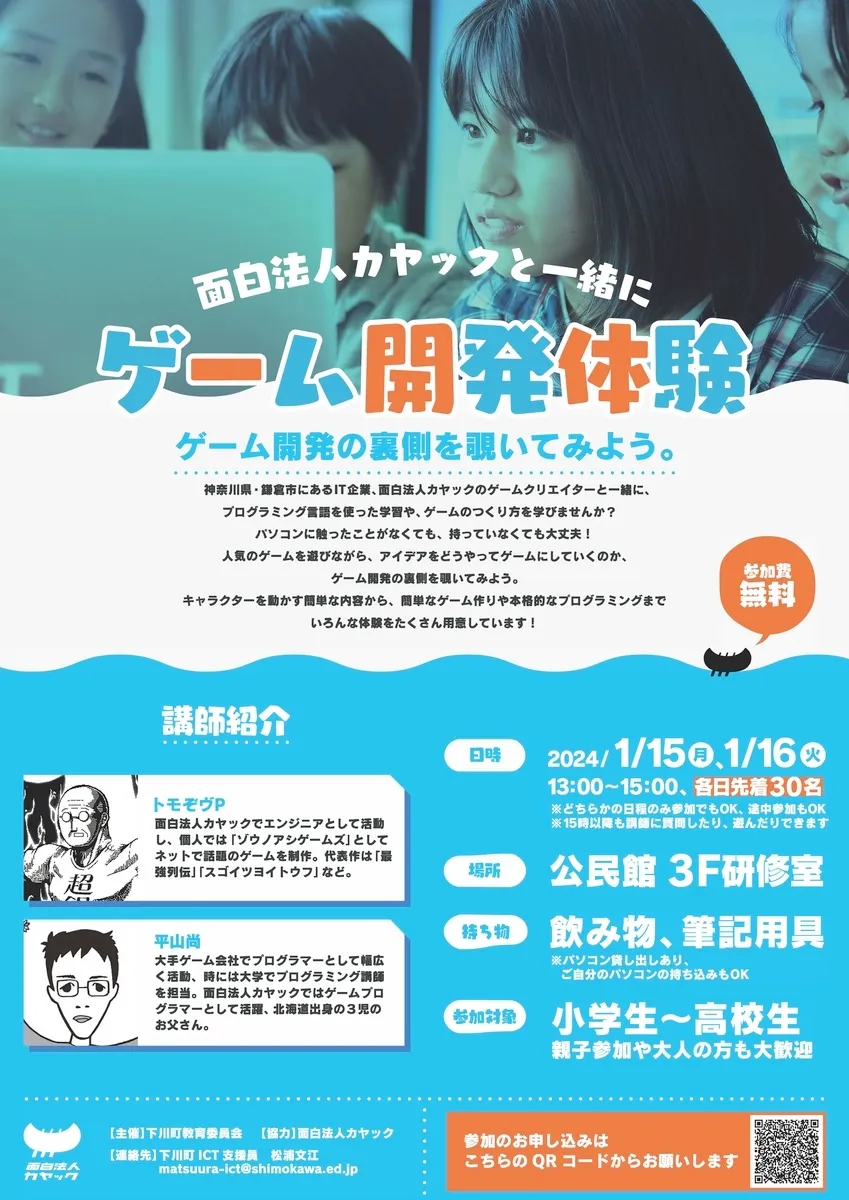 Game Development Experience poster
More than 20 children, from first grade of elementary school up to the second year of junior high, took part. We would have loved to have high school students too, but apparently their winter break had already ended. Maybe we should have held it earlier.
I can't know how satisfied each participant was without asking them, but about half of them came back for the second day, and some created Scratch accounts and took their work home with them. I think they probably enjoyed it quite a bit.
I'm the one writing this, but much of the actual work was done by Meguro . I can't thank him enough, and his dedication to making sure the children had fun was truly astonishing.
What we did
We prepared three programming environments: viscuit, Scratch, and, if I may plug my own work, Sunaba. In the end we used the first two and not Sunaba. About eight children used viscuit, and the rest used Scratch. We didn't ask their ages, but my impression is that it was mostly the younger children who chose viscuit.
The materials we prepared are public on google drive. That said, we didn't use all of them, and we skipped or added things depending on the mood in the room.
Why we chose viscuit
The best way to find out what viscuit is like is to try it yourself on the official site, so here I'll just explain why we used it.
First, it doesn't need a keyboard.
Participants were recruited in advance, and we knew that quite a few of them were in the early grades of elementary school. That makes using a keyboard difficult. In viscuit, you create something like an object class by drawing a picture, and create instances by dragging it onto the screen.
It also lets you put off the chore of "making the steps explicit". In ordinary programming you have to break down what happens and line it up in order: wake up in the morning, get dressed, brush your teeth, and so on. But that's quite difficult, and even more so for children.
In viscuit, you define things called "glasses" that specify an input and an output, and when the state of the instances on the screen matches the input of a pair of glasses, it is converted into the output. You just write separate pieces of "when it's in this state → it becomes this", so you don't have to think about order. This is a truly new experience, and I strongly recommend trying it.
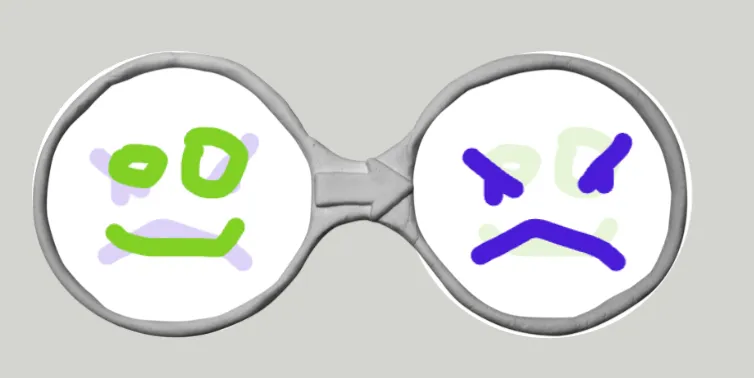 An example of "glasses"
For example, if you draw an egg and a bird and define glasses with the egg as input and the bird as output, an egg on the screen matches just by being there, so it's converted into a bird.
If you specify a lion and a rabbit as input and only the lion as output, it matches the state "the lion and the rabbit got close", so you can express something like "the lion ate the rabbit", and conversely you can also make things multiply.
Movement and rotation are glasses too, and glasses can take a tap as input, so you can also do things like "tap and an egg appears". This allows programming to follow a natural flow: "draw a picture first, then think about what happens to it".
For these reasons, younger children can have fun while getting used to building "when this happens, that happens" conversion steps, without touching a scary machine like a keyboard. Glasses that make instances multiply are especially fun, because things multiply more than you expect.
Now, anyone who teaches programming will naturally wonder, "Does this really lead to the ability to develop in professional languages like C# or JS?", but I don't know the answer either. I don't even know whether children will see the viscuit experience and writing code on a keyboard as the same kind of thing.
What is certain is that it's fun, and even first graders can make something. For this event, we thought that was enough to achieve our goal.
Why we chose Scratch
In fact, we only settled on Scratch at nearly the last minute. Originally we had planned to use Unity.
The plan was to have them play around with games Meguro had made in Unity, or to bring a simple Super Mario-style sample and have them make their own version by swapping the pictures and tweaking the parameters.
I didn't have much experience with Scratch and wasn't confident with it, and Meguro had never even touched it. With Unity, making a proper game requires "writing code in C#", which was out of the question for this event, but we figured that if we prepared lots of things they could tweak in the editor, it would still be fun, and that touching something that's actually published and played by lots of people would be more exciting. Some of the junior high students might be able to write code, but we figured we could steer them toward Sunaba.
But when the time came, it suddenly hit me.
"Wait, can we even use this for free?"
Honestly, I wasn't sure, and there was no time to check. On top of that, another problem surfaced: "installing it on 25 PCs is far too much work". The PCs were rented and sent directly to the venue. We'd be spending nine hours traveling to Hokkaido the day before, so there wouldn't be much prep time that day. On the day itself, the event started at 1 p.m., so we had three hours of prep at most. Getting the flow and the materials ready mattered far more than installing software, so we decided Unity was out. The Mario-style sample was already finished, but we scrapped it, and the two of us scrambled to get to grips with Scratch.
The reason Scratch came up at this point was, once again, "because it hardly needs a keyboard".
Now that smartphones and tablets are this widespread, the need to use a keyboard has dropped considerably. When I was a child 30–40 years ago, being able to use a keyboard felt a bit cool, but that's probably not the case now. I hear some people write books on their smartphones, and I wouldn't be surprised if keyboards went extinct in ten years. So, no keyboard.
In Scratch you write code by dragging blocks with the mouse and snapping them together, so the keyboard is only needed for things like entering numbers. That's acceptable.
Only the input method is different; what you're actually doing is no different from, and just as difficult as, writing code in text. But Scratch, like Unity, leaves room to tinker with existing projects even if you don't understand code. You can swap pictures, move instances around, and tweak numbers in the code. Unfortunately Unity leaves more room for tinkering: in Scratch you can't add instances, and changing settings effectively means "tweaking literals in the code", which can be awkward. But given the problems with installing Unity, it couldn't be helped.
Scratch also makes it easy to open projects other people have made, look inside them and edit them, so it has the advantage that "even people who'd struggle to write something from scratch can do a lot". We brought about five samples, but it's great that there are many other projects to play with besides those.
However, "being able to have fun without writing code" isn't purely a strength. I really want "people who can write code to write code", so it was a little disappointing that tinkering with other people's projects in Scratch made the time pass all too easily. But this time that was unavoidable, and I think it was right to put fun first.
The option we didn't use: Sunaba
Originally, as described above, we had planned to use Unity instead of Scratch. Writing code in Unity was impossible given the children's ages and the time available, so I wanted to prepare something else for children who looked like they could write code. I'd like them to write programs if possible, after all. That's what Sunaba was for. Sunaba is a language and runtime environment that I made; you can do very little with it, but in exchange there's very little to learn, and it's designed to let people focus on learning to code in a short time.
However, switching to Scratch made writing code a lot less difficult. There was no need to touch a keyboard, and even younger children could write something like "a character appears and walks". With Sunaba, even bringing in a picture you drew isn't easy, and "it takes far too long before anything fun happens", so even if they could use a keyboard, it would be too hard for elementary school children.
I did bring it just in case, but no child chose it, so we dropped it. I think that was the right call. Supporting just the two tools, viscuit and Scratch, kept us fully occupied; even with my whole family mobilized (my wife, and my children in the first year of junior high, fourth grade and second grade), it was barely manageable. One more tool and everything would have fallen apart.
How we shared the data
This time we rented 25 PCs, had them sent directly to the venue, and set them up the day before and on the day itself. The problem here is "how to hand over the data". viscuit and Scratch are both web apps, so a URL is enough, but we had no way to hand out URLs. They'd also need URLs to look at our slides later, and the same goes for the Scratch samples.
So we put those links together on a single slide, turned that slide into a PDF, and went around copying it onto each PC with a USB stick.
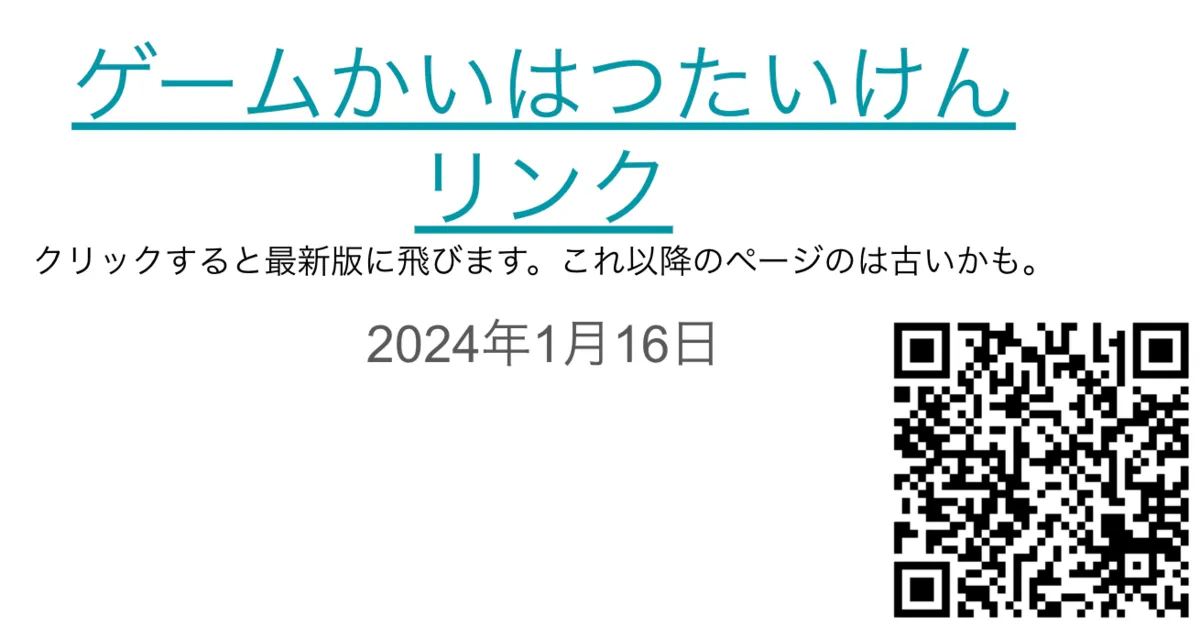 Cover of the link collection PDF
In case the materials got updated, we also included a QR code for the URL of the link collection on the drive, but I don't know if anyone actually used it. Something like Slack would be nice, but for a one-off event it's probably too much to set up.
I want to make it better
More than 20 people learned that things like viscuit and Scratch exist, actually used them to make their own work, and peeked inside working games, so I think it probably went very well.
But if you're satisfied, that's where it ends. I consider "helping people become able to do things" my life's work, so I can't help thinking about "what to do if there's a next time". I'd like to explore other formats, and even with this format, there's surely room for improvement.
About viscuit
viscuit is a wonderful tool. Even my youngest, who is in a special-needs class, was making things move with glasses back in first grade. Even now, they play with it on their own, and often. If LEGO has benefits as an educational toy, viscuit surely has similar benefits. For the tablet and smartphone generation, it's also worth noting that viscuit, which runs on a tablet, is easier to get into than LEGO. And it's free.
However, using it at this event, we did run into a few usability issues.
First, there's no standalone PC version. There seems to have been one in the past, but I can't find it now. So you need an internet connection, and if you accidentally close or reload the browser, your work disappears. Children make lots of mistakes, so this happens quite often.
The venue's wifi was good enough that needing an internet connection wasn't a problem, but in an environment with limited wifi, you'd want a standalone version.
Next, saving is awkward. You can upload to the server, but you can't give your work a name, and it goes into the same list as everyone else's, so finding your own is a chore. What's more, uploading takes you out of the editing screen, so it's not suited to "just save for now". You can display the json data of what you made, but it would be hard for children to save it themselves. I think these limitations come from running in the browser, so in that sense too I felt a standalone version would make things easier. It would also make autosave possible.
Finally, you can't share with a limited audience. You can upload, but your work probably gets mixed in with work from people all over the world, so it's not suited to "I want a list of the work made by the people at this event right now". To share what was made at the event, it seems the only way is to show it in person. As long as each person makes one thing, showing it in person is enough, but sometimes people will want to make several and keep them.
Also, this isn't directly related to the event, but sometimes you want to keep the work as "a record of a child's growth". It's nice to have a history like: this is what my child was making at six, and this is what they made at seven, and some parents would want to use it to plan their child's education. At this event, too, the children couldn't take what they made home, so parents are left not knowing what their child made. A feature that let you upload to your own list would make this kind of thing easier.
Admittedly, that's probably a limitation of not being able to run a large-scale server like Scratch's, so something like sharing lists may be difficult, but I think a standalone version would ease many of these problems.
On the feature side, there are a few other issues too: scrolling is a bit awkward, it's hard to tell how to delete glasses and objects, and a hidden feature called "broken glasses" can get triggered by accident and leave you confused.
We'll probably use viscuit again if there are more events like this, and I want better saving for my youngest, so I'm toying with the idea of implementing an app in Unity that carries on its philosophy. If I make it in Unity, I could make web, PC and tablet versions at the same time.
About Scratch
Scratch is also an excellent tool. It's used worldwide, there's plenty of documentation, and its server for publishing projects is impressive, so there's an endless supply of projects to learn from, and you can easily publish your own.
The advantage of being able to write code without a keyboard is huge in this day and age, and will only grow. "What you're doing is no different from code written in text" also means it's easy to move on to text-based code. I tried making about five games myself, and I ended up thinking, "if you can write it in this, you could write it in C# just about as well". That's because almost all of the essential difficulty of programming is right there.
But precisely because of that, it's a bit too difficult for children in the early grades of elementary school. There's ScratchJr for younger children, but it's only a smartphone/tablet app with no web version, and since we had already arranged the PCs, we couldn't use it.
Scratch's difficulty shows up first in the sheer number of features. The categories are sensible, and it's designed so you can tell the kinds apart by color and shape, but it still feels like a lot. Features that get information from outside and seem rarely used, like "days since 2000" and "username", sit alongside obviously frequently used control structures like if and while, making the feature list rather long. For someone touching it for the first time, "lots of things on the screen" seems likely to be a barrier.
And when you try to make something a bit complicated, it's quite a struggle. Traditional games like vertical shooters, or grid-based things like Tetris, are actually harder to make. For example, if you do "delete one of the objects as the result of a collision check", only one of the objects gets notified, and which one is undefined. Cloning objects is also quite hard. Variables are by default what C# would call class static, so they're shared and easily lead to unexpected behavior, and messages are received by all instances, so telling instances apart takes extra effort. There's no feature to "call a method on the thing you hit", so you end up relying heavily on messages, and the fact that the order in which messages are received is undefined is another headache. Yet without clones, you need to define as many sprites (effectively classes) as things you show, and copy the code into each. In C# terms, it's like "16 characters with the same behavior appear, so make 16 classes and copy-paste the code". Something like "The Battle Cats" looks like a good sample because the basic coding is simple, but since it's a subject where clones are unavoidable, it's a little difficult as a sample for beginners.
On top of that, physics isn't built in, so turning "common behavior" like jumping into code is quite hard for beginners. If the aim is to have them concentrate on writing logic, "it moves even though I did nothing" is nothing but a hindrance, and I think Scratch's concept is right. But when what you're after is "touch it a bit, it moves, and it's fun", this becomes a difficulty. For example, if you want to make something like Super Mario, Unity might be easier than Scratch.
For these reasons, even with children in the upper grades of elementary school and older, who can be expected to write some code, getting them to write code at an event with limited time will take some ingenuity. At the very least, you'd need to skillfully steer them toward making the kinds of things that are easy to make in Scratch.
I want to do something about Sunaba
I think Sunaba isn't a bad option for "people who are prepared to type on a keyboard and write code". But the keyboard alone is already more than enough to be fatal. Not being able to easily show a picture you drew is also fatal, and having no physics is a fairly painful limitation too. All of these are deliberate parts of Sunaba's design philosophy, but at an event like this one, it's completely useless.
So I'm thinking about adding a Scratch-like UI where you arrange blocks with the mouse, providing a built-in feature to draw sprites, place them anywhere and move them, and adding collision detection and physics. If I can do that without usability problems, I should be able to offer it, as an alternative to Scratch, to "people willing to write code from zero and make something that moves". There's only one entry point, and there are no concepts like messages or objects, so variables, functions, loops and branches are all you need. Things like "it gets oddly difficult when you make something not suited to Scratch" are also less likely to happen. Grid-based games in particular should be easy to make.
This event made me keenly aware of how great Scratch is, and I sank into some self-loathing, thinking "why did past me make Sunaba when this exists?" But for Sunaba's original purpose of "university classes", Scratch probably wouldn't have been quite the right fit, and as I wrote above, Scratch isn't perfect for uses like this one either. I'm feeling a little more motivated now.
Closing
I've gone into a lot of detail, but the most important thing at an event like this is "making sure they have fun". On that front, having Meguro and my family by my side really helped.
I've never once disliked programming, and I sometimes feel I don't really understand the emotion called "fun". For someone like me, figuring out "how do I help beginners have fun?" is really difficult. The books I've written in the past were also built around the concept of dealing only with readers who are thoroughly motivated.
If there's a next time, I'd like to team up with someone who can put "fun" first. Otherwise it turns into a "class".